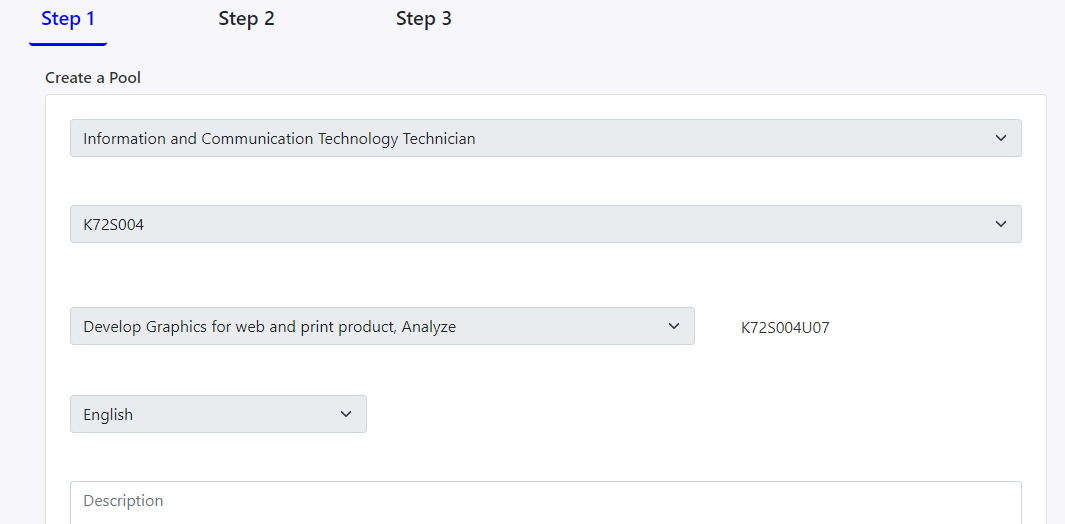
Step 1: NCS Name, Code, Unit, Medium, and Description
In this step, you can view the details of a question pool like NCS Name, Code, NCS Unit, medium, description, and thumbnail image etc.
If you want to edit this question pool, click on the Edit Pool button at the end of the page.
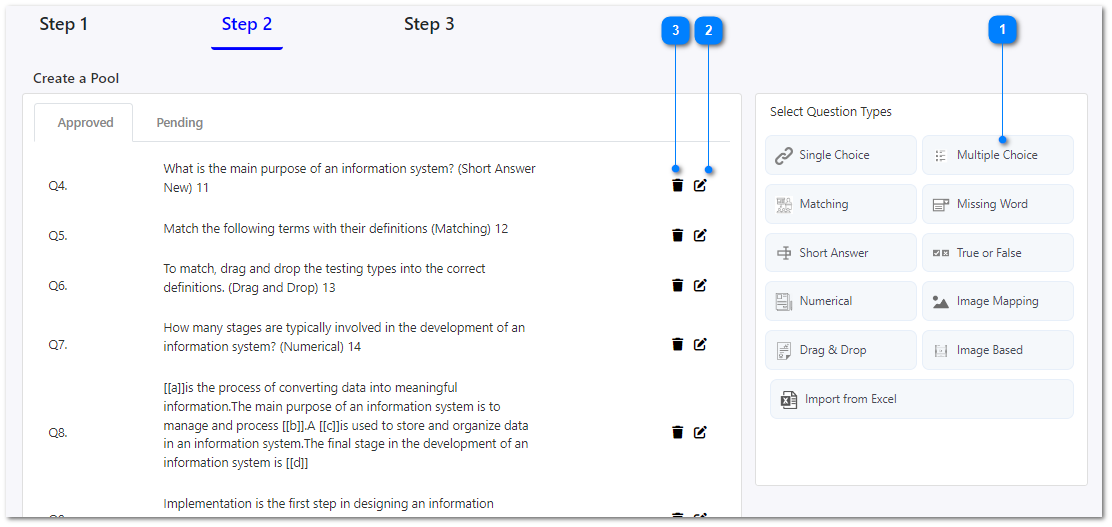
Step 2: All the questions
You can drag and drop any question type into the questions list on the left side to add new questions to the question pool. Check the create pool page to see the step by step approach of adding new questions.
You can edit a selected question by clicking on this icon.
You can delete a question by clicking on this icon.
Step 3: Preview and Publish
In this section, you can preview all the questions and see the way how the users will attempt the questions.
And also if this question pool was saved as a draft, you can publish this as well.