Add Remove Users
Description
- In this page you can add or remove users from a selected group.
- Following figures will help you to understand all the components in this page.
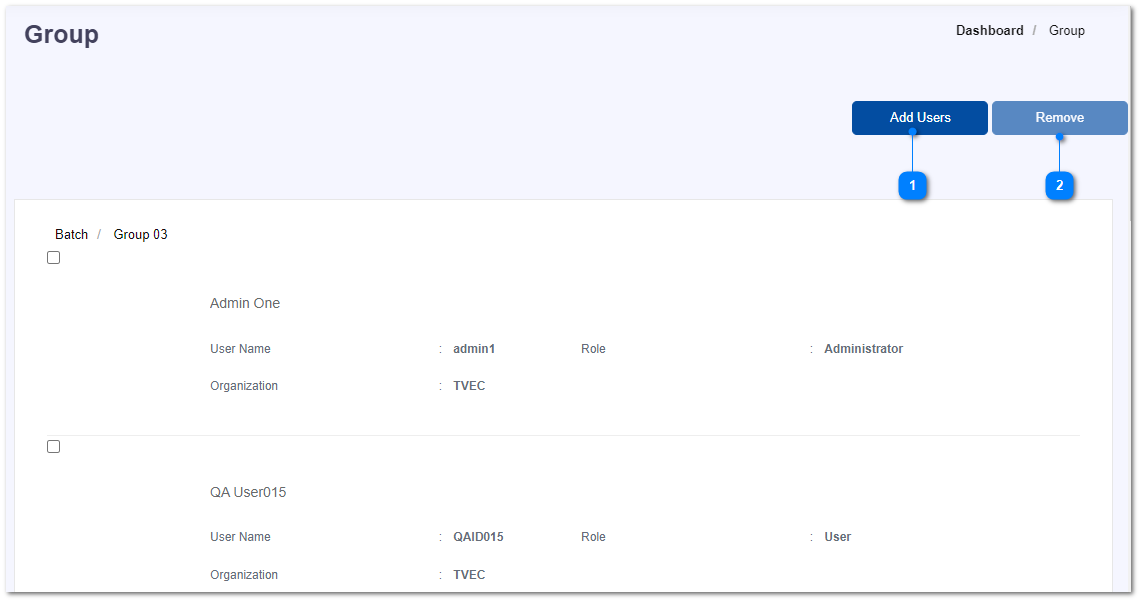
- Add new users into the group.
- Mark the check-box in-front of the users and click on Remove button to remove that user from the group.