This page is consisted of fully detail representation of a user with the general user information and the details of exams that this user was assigned.
Following figures will help you to understand all the components in this page.
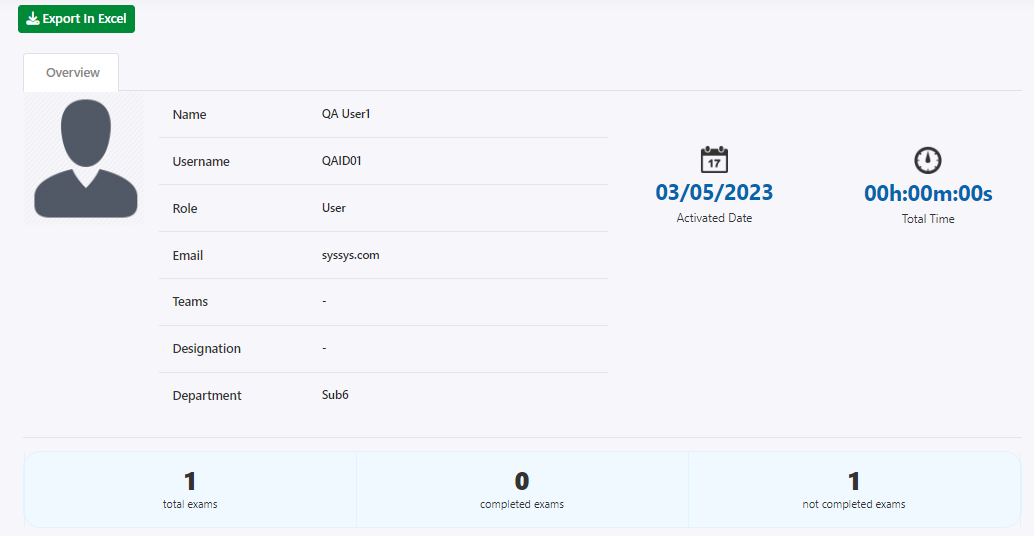
This is the first section of this page.
At the top, click on the Export In Excel button to export the details contained in this page about this user into an excel sheet that you can refer easily.
In the overview section, there are some general information related to the user like their name, username, role, email, the teams that this user belongs to, their designation, and department etc.
Then in the blue color section, the total number of exams that this user was assigned and how many of them were completed or not is mentioned.
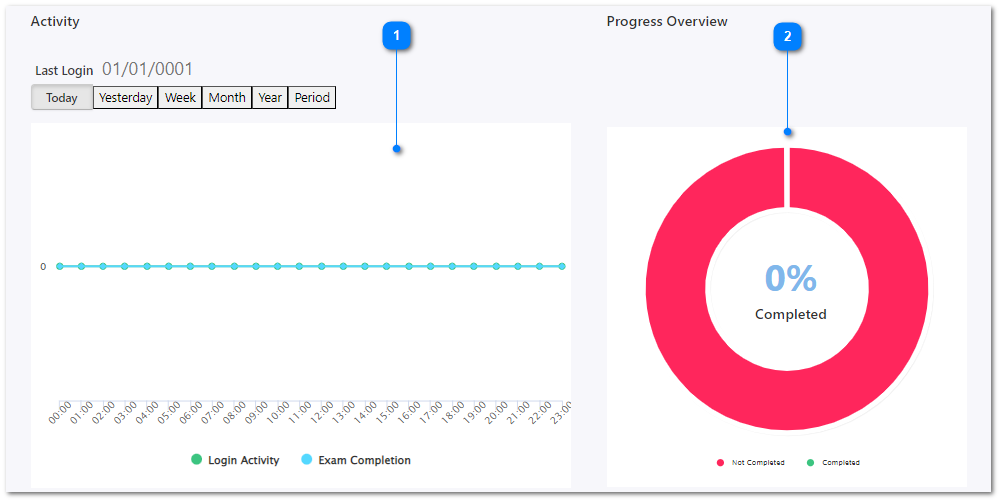
This chart is consisted of the selected users login activity details and exam completion details according to the time duration.
This chart is considered as the overview of the progress of the selected user. The number of completed and in-completed exams are displayed in 2 different colors.
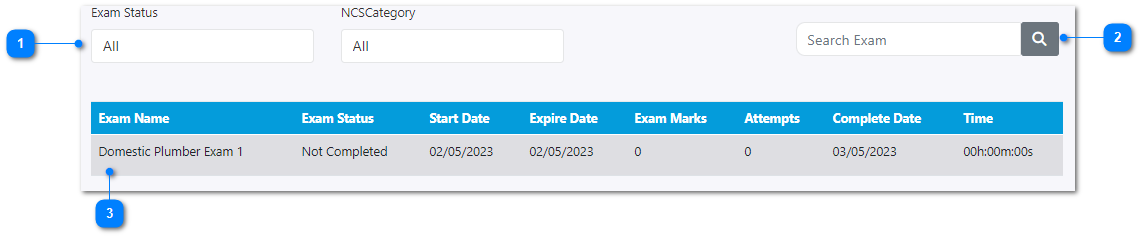
Exam details table can be filter based on the exam status (completed or not completed) and NCS category.
Enter an exam name here to filter the exam details table.
This exam details table is consisted of all the details of exams that this user was assigned for.