Mega Testing Platform
User Journey Report
Description
- This page is consisted of all the information regarding user journeys.
- It is a detailed overview of,
- what users were logged in to the system
- which activities were performed by each user
- at what time each activity was performed by each user
- what IP addresses were involved in each activity etc.
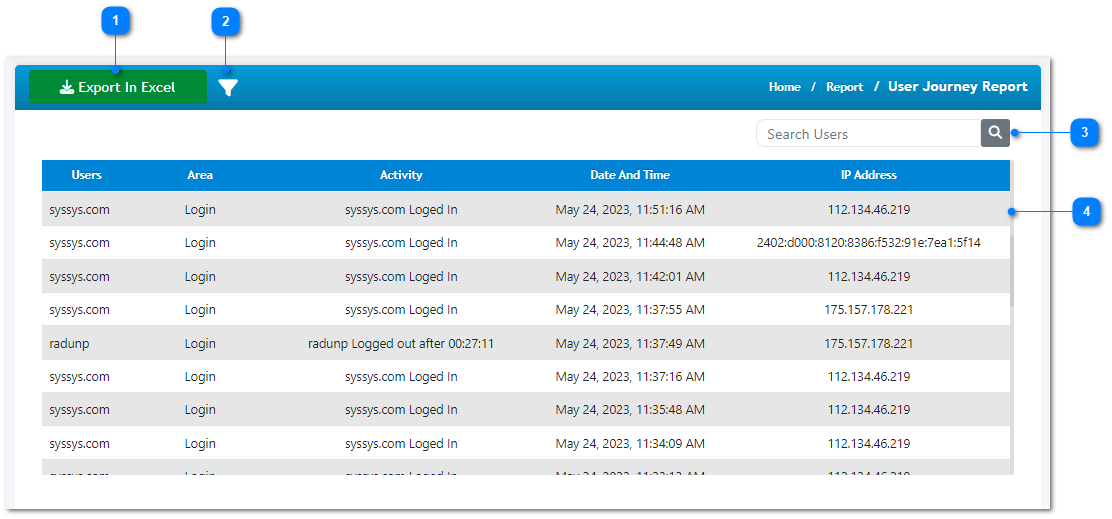
- Export this page into an excel sheet to refer later on.
- Filter the details shown in the table below by activity area, user role, user group, or activated time duration etc.
- Use the search functionality to filter the details in the table by entering a user name.
- This table is consisted of all the details mentioned above along with the revised chronological order.