Exam View
Description
- In this page, you can control the exam as an invigilator.
- Following functionalities can be performed here.
- Start and end an exam
- Forcibly end an exam
- Pause or restart an exam
- See a list of details of all the attempts
- Following figures will help you to understand all the components in this page.
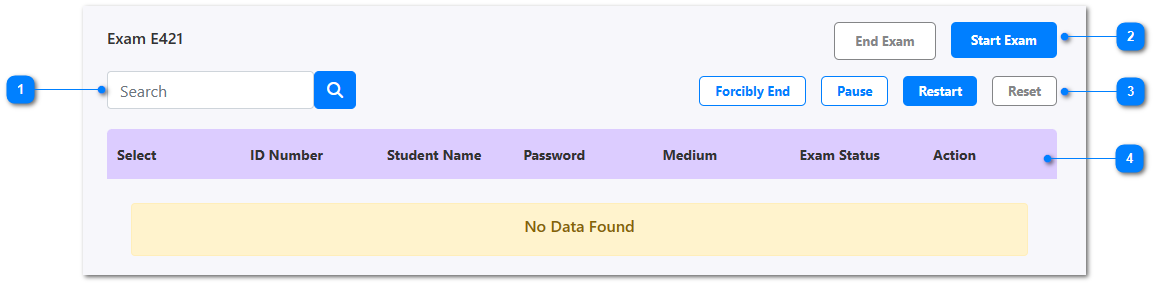
- Search the attempts of the exam by entering a student name or ID.
- End or Start an exam based on the current status.
- Other controls like forcibly ending, pause, restart, or reset an exam.
- This table represents all the details of attempts for this exam. If the exam haven't started yet there will be no data found. Otherwise you can see details like following.
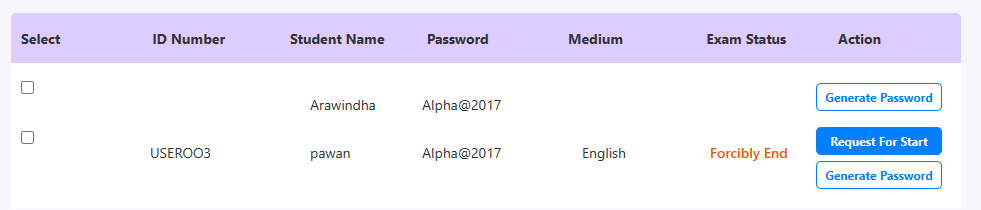
- Generate Password - Generating a new password for a selected student to login.
- Request For Start - If a student still hasn't started the exam, you can request to start.