Following figures will help you to understand all the components in this page.
This section is included various number of exam counts based on different scenarios.
Exam count - The total number of exams
Assigned exam count - The total number of exams which are already assigned to some users
Participated exam count - The total number of exams which were already participated by the users
Not participated exam count - The total number of exams which weren't still participated by any user
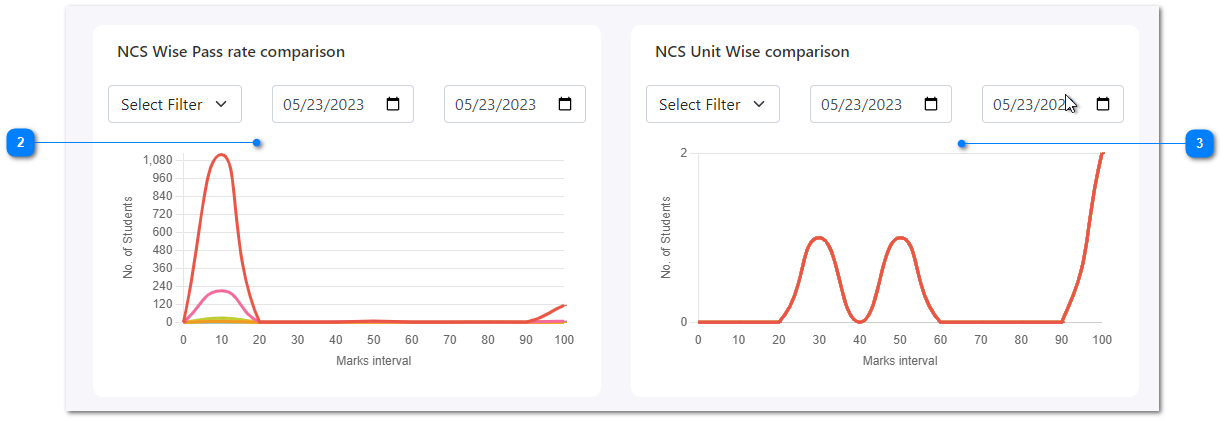
This is a graphical representation of the comparison of NCS wise pass rate. It can be filtered with various NCS Codes and time duration as well.
This is a graphical representation of the comparison of NCS Units. It can be filtered by various NCS Units and time duration as well.
Knowledge Assessment List
This is a table representation of all the knowledge assessments which consists knowledge assessment name, related NCS, starting date and time of the assessment, and action section to redirect to the full detail page.
You can also easily filter the list based on a certain knowledge assessment name by using the search functionality at the top of the table.
Forcibly End Knowledge Assessment List
This is a table representation of all the knowledge assessments which were forcibly ended.
It also consists of knowledge assessment name, related NCS, starting date and time of the assessment, and action section to redirect to the full detail page.
You can also easily filter the list based on a certain knowledge assessment name by using the search functionality at the top of the table.
Messages
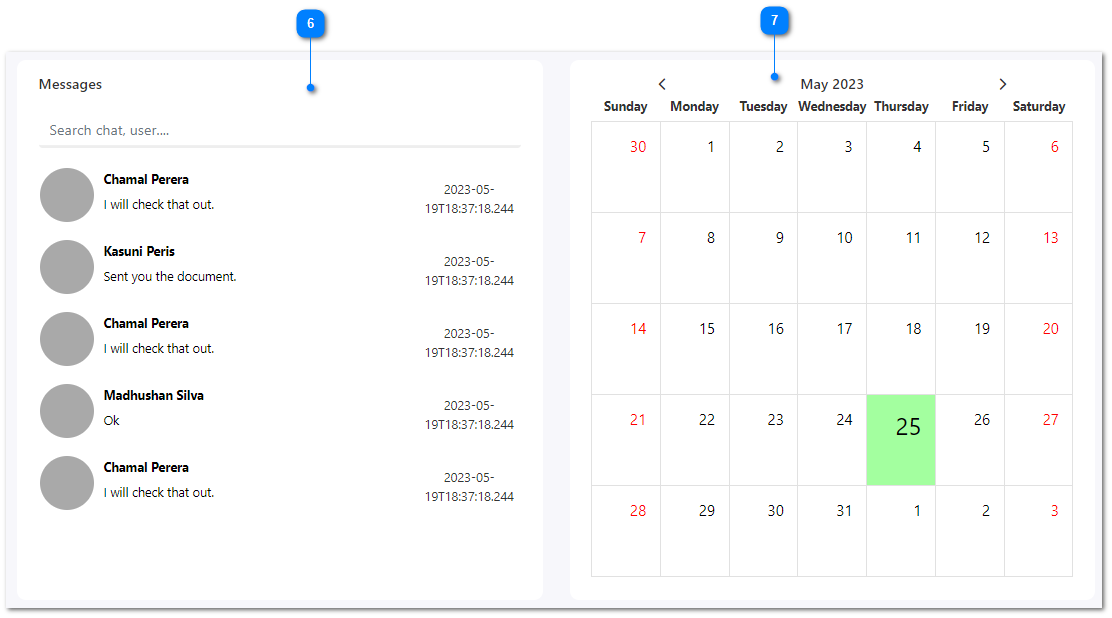
This section is included a list of messages that you received.
Here also you can filter the messages by using the search functionality at the top by entering any chat message or user name.
Calendar
This is a graphical representation of the calendar.
You can identify following details based on the color.